The day view
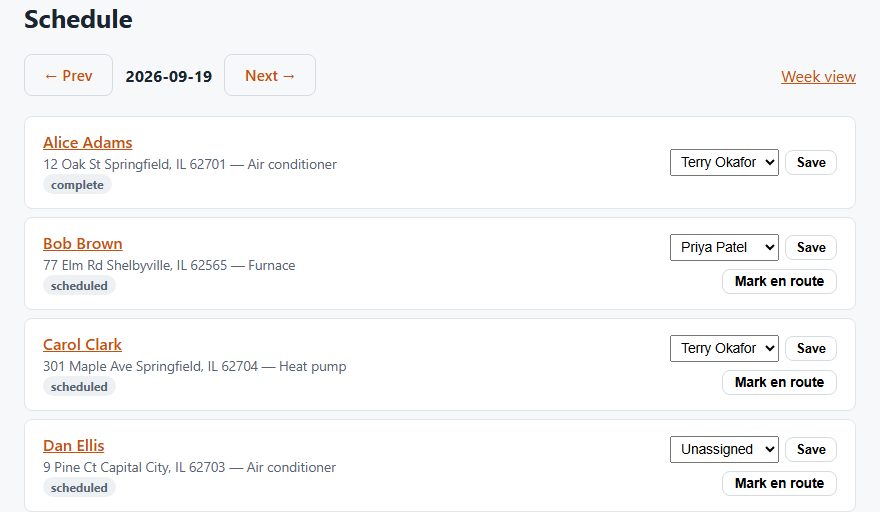
Every job for the day sits in one list. You see the customer, the address, the kind of equipment and the status. Pick a tech from the menu and save. That's dispatch.
What your techs see
Each tech logs in on their phone and sees only their own jobs. They mark a job en route, in progress and complete. You see the change right away. There's nothing to install. It runs in the phone's browser.
If a tech loses signal in a basement or crawl space, their status updates wait on the phone. They sync when the signal comes back.
Week view and route order
The week view shows the next seven days at once. To save drive time, you can reorder a tech's day by driving route. This needs two or more stops with map locations.
What it doesn't do
- Jobs are booked by date, not by time slot.
- There's no live GPS map of your trucks. That's on purpose, because tracking employees' phones raises consent and privacy rules we don't want you to trip over.
- There's no drag-and-drop calendar. You assign from a menu.